ColorSnag
A downloadable tool for Windows
Grab colors from anywhere on your screen. Sample multiple colors at once. Pick from a color wheel when you need something specific.
How it works
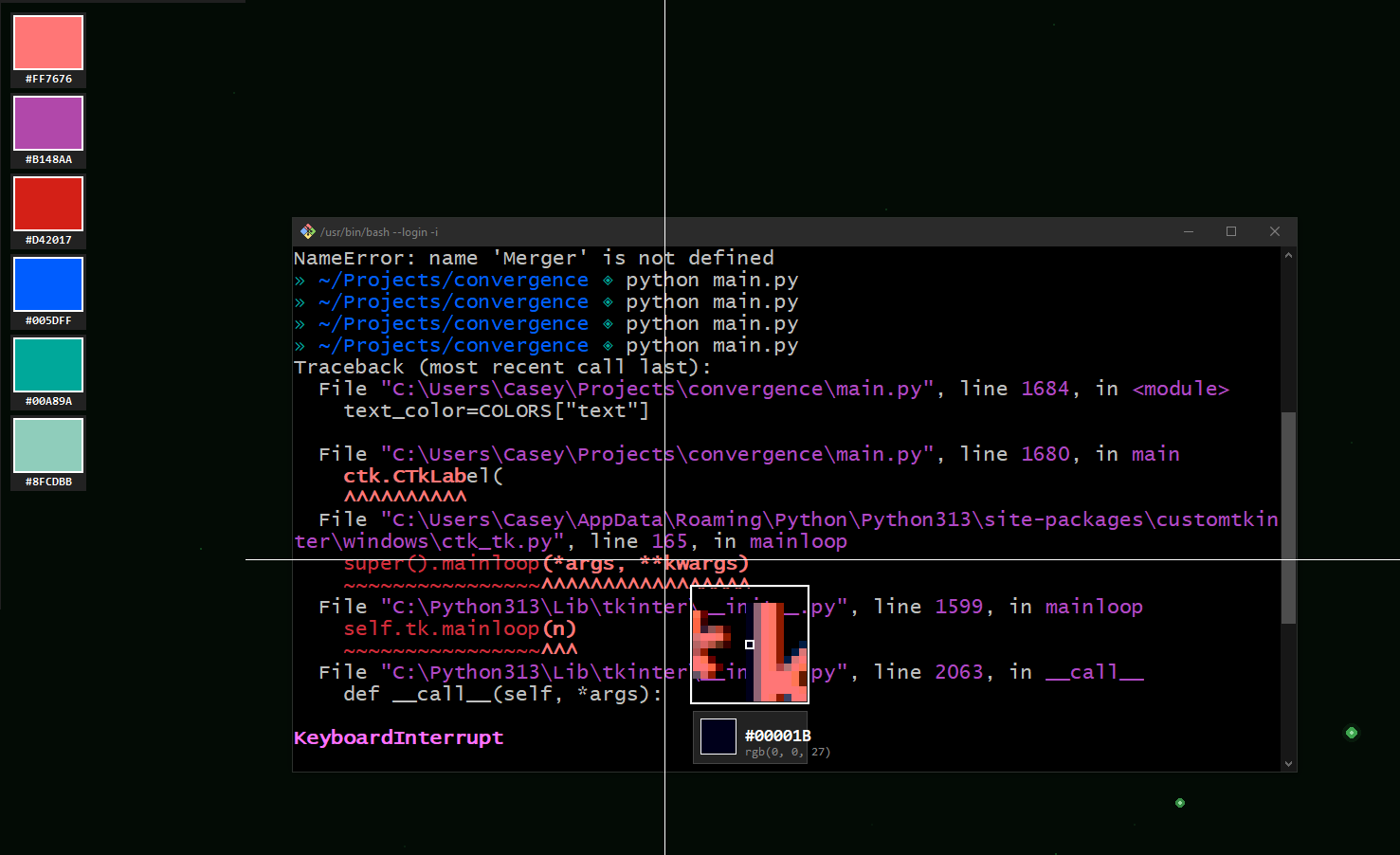
Hold F9, a magnifying glass follows your cursor, showing pixels at zoom level. Click to sample — colors stack along the edge of your screen with hex codes visible. Sample as many as you need, then release F9. Your palette stays put.
Click any swatch to copy its hex. Right-click to dismiss it. Press F9 again to clear and start fresh.
Color Wheel
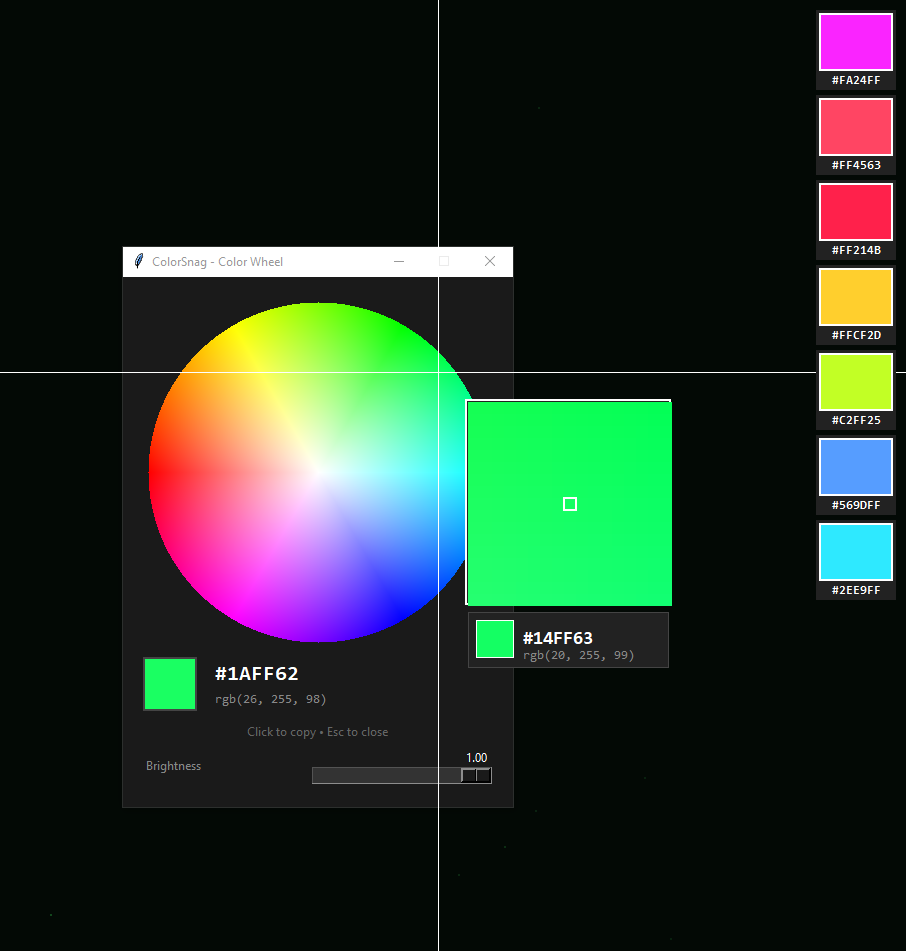
Left-click the tray icon to open a full HSV color wheel with brightness slider. Hover to preview, click to copy.
Features
- Multi-sample in one session (colors stack along screen edge)
- Magnifying glass with pixel-level zoom (toggle small/large in tray)
- Middle-click while picking to flip swatches to other side
- Color wheel for when you need a specific hue
- Hex copied to clipboard instantly
- Runs in system tray
Controls
- Hold F9: Enter pick mode
- Left-click: Sample color to swatch
- Middle-click: Flip swatch side
- Left-click swatch: Copy hex
- Right-click swatch: Dismiss
- Click tray: Color wheel
Download
Click download now to get access to the following files:
Leave a comment
Log in with itch.io to leave a comment.